Getting Started
Welcome to Litana APP – your enterprise resource planning system. This guide will help you quickly understand the main functions and get started.
Litana APP is available in three languages: Lithuanian, English, and Russian. You can change the language in the top right corner.
First Step: Login
Before starting work, you must log in to the system. This is done by entering your phone number and SMS code.
👉 Read detailed login instructions
Home Page
Upon logging in, you will see the main dashboard. Unlike older systems, there is no left sidebar menu – all navigation is done through central cards and search.
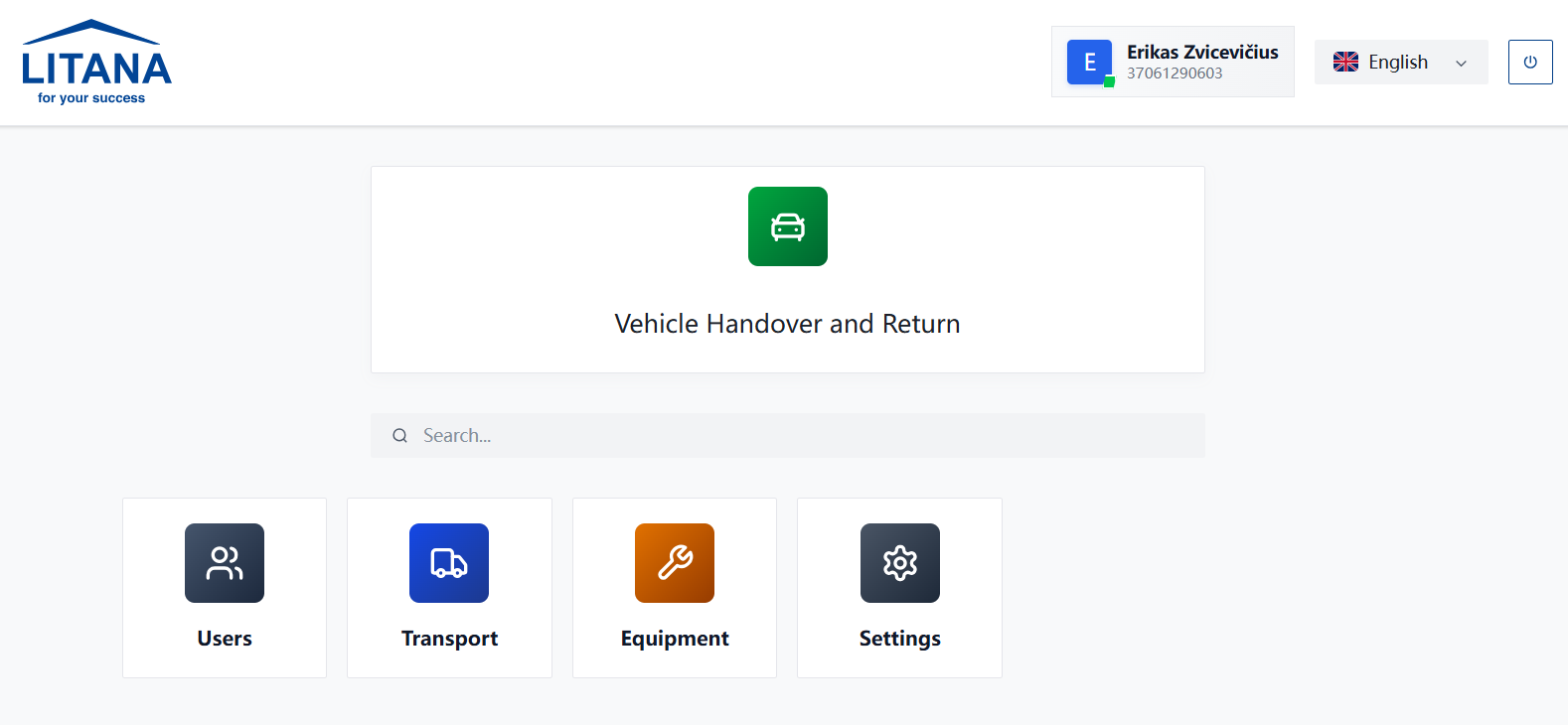
The Home Page consists of three main parts:
- Quick Actions (e.g., Vehicle Handover).
- Search.
- Module List.
1. Quick Actions
At the top, you will see the most important actions that need to be performed quickly.
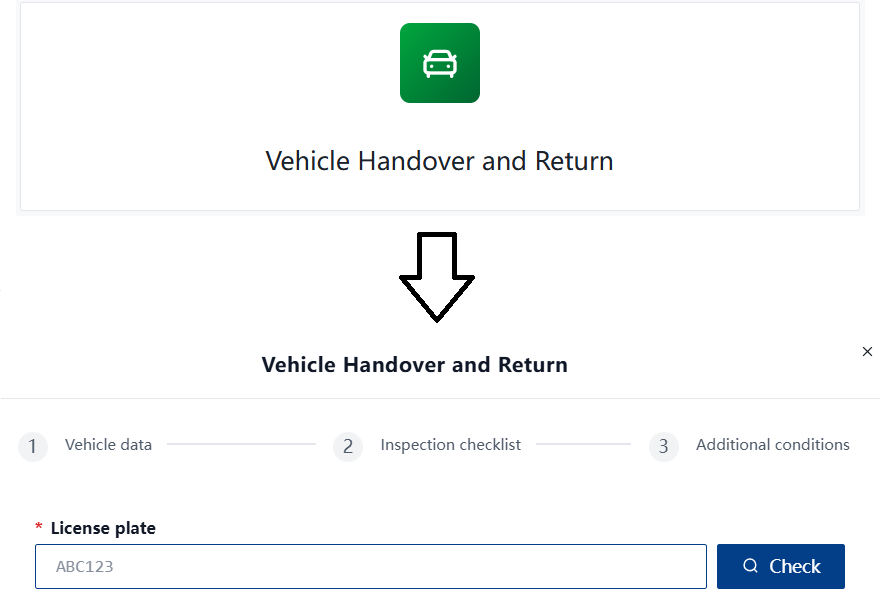
- Vehicle Handover: This block allows you to quickly record vehicle pickup or return. This is especially relevant for drivers and transport managers.
2. Search
If you cannot find the required module or function, use the search bar in the middle of the screen.
- Enter a keyword (e.g., "Fuel", "Users").
- The system will automatically filter the visible modules.
3. Modules
The system is divided into main areas (modules). Depending on your permissions, you will only see the modules assigned to you.
👥 Users (Vartotojai)
This module is for administrators and managers.
- Employee Accounts: Create new users, edit information.
- Permissions Management: Assign roles and access rights.
🚛 Transport (Transportas)
Complete fleet management. This is one of the most widely used modules.
- Vehicles: Technical data, document validity, technical inspections.
- Handover: Digital handover/return acts with photos. All acts are stored in the system.
- Fuel: Fuel card limits, import from gas stations, consumption analysis.
- Maintenance: Repair history, scheduled maintenance, and issue reporting.
- Trip Logs: Trip history and reports.
🛠️ Equipment (Įranga)
Tracking of company assets and tools.
- Tool Assignment: See which employee is using which tool.
- Issue Reporting: Report equipment faults directly in the system.
⚙️ Settings (Nustatymai)
System configuration (usually available only to administrators).
- Classifiers: Maintenance types, fuel types, and other system lists.
- Parameters: General system settings.
To return to the Home Page from anywhere in the system, click the Litana logo in the top left corner.
Need Help?
If you encounter problems or have questions about using the system, please contact the IT department:
- 📧 Email: Erikas.Zvicevicius@litana-group.com
- Please provide a description of the problem and, if possible, attach a screenshot.
✅ Information complete and verified.